juraganmain99 Mobile App
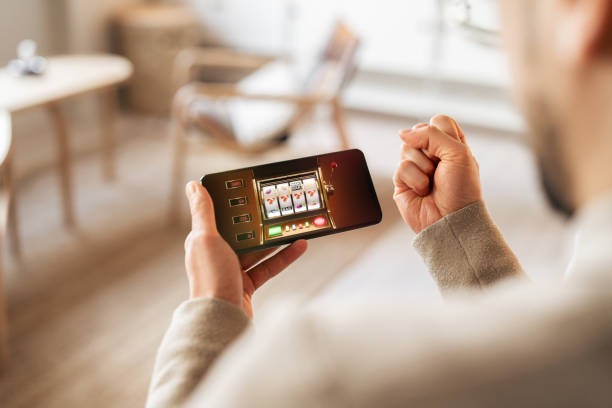
Mobile gaming has grown significantly across Southeast Asia, with millions of users accessing entertainment platforms via smartphones and tablets daily. We at juraganmain99 recognize that most of our users access our slot tournaments, live-dealer tables, and sportsbook markets from mobile devices. Our mobile app delivers the full juraganmain99 experience optimized for smaller screens, faster load times, and offline-first design — so you can play Aviator, Sweet Bonanza, Gates of Olympus, Fortune Tiger, and Mahjong Ways seamlessly whether you're in Jakarta, Surabaya, Bandung, or anywhere else.
- SHA256 Match
- Update
- Installin
- DownloadAPK
We offer multiple ways to access juraganmain99 on your mobile device: a native Android APK, an iOS web-app pathway, and a responsive web interface. Each option works reliably, stores your session securely, and syncs your account balance across all your devices. We do not require you to use the app — our website works just as well on mobile browsers. However, we recommend the native Android APK if you want faster loading, offline caching of slot game assets, and push notifications for tournament schedules and payment confirmations.
This page explains how to download and install our mobile app, what devices we support, and what to expect from app vs. browser access. Read through these sections to find the installation method that suits your device and preferences.
Getting Started with juraganmain99 Mobile
Download and Installation Options
We provide three pathways to access juraganmain99 on your mobile device. Choose the option that best fits your device type and preferences. Our Android APK is a standalone installer for Android phones and tablets; iOS users can access juraganmain99 via Safari browser or home-screen shortcut; all users can access our responsive web interface from any browser. Each pathway connects to the same account, so your balance and game history remain unified.
Installation paths
-
Android
Download APK from our site and install on Android 7.0 or higher
-
iOS
Open Safari, add juraganmain99 to home screen, or use shortcut app
-
Web Browser
Visit juraganmain99.net in any mobile browser — no install needed
Step-by-Step Installation for Android
-
1
Enable unknown sourcesSettings step
On your Android device, go to Settings → Security, and toggle on "Install from unknown sources" or "Unknown apps" to allow installation from our website.
-
2
Download the APKDownload step
Visit our app page on juraganmain99.net, tap the Android APK link, and allow your device to download the file to your device storage.
-
3
Install the appInstall step
Open your file manager or downloads folder, tap the juraganmain99 APK file, and follow the on-screen prompts to complete installation.
-
4
Log in or registerAccount step
Launch the juraganmain99 app, enter your username and password if you have an existing account, or tap "Create account" to register.

App vs. Browser — Speed and Features
Our native juraganmain99 Android app offers several advantages over mobile browser access. The app caches slot game assets locally on your device, so games load faster and consume less data on repeated visits. Push notifications alert you when new tournaments launch, when you receive a withdrawal confirmation, or when your OVO, e-wallet, or mobile banking deposit has been credited. The app also retains your login session even after you close the application, so you do not have to re-enter credentials every time. For iOS users without native app support, we recommend adding juraganmain99 to your home screen as a web-app shortcut, which provides similar speed benefits and home-screen access. The web browser on juraganmain99.net works reliably on all devices, and you can deposit via local payment, online payment, e-wallet, mobile banking, local payment, online payment, e-wallet, mobile banking, local payment, or online payment regardless of whether you use the app or browser.
Device Compatibility and Requirements
Our juraganmain99 Android APK requires Android 7.0 (API level 24) or higher. Most Android phones and tablets manufactured in the last six years meet this requirement. We also support Android 11, 12, 13, and 14. For iOS, we recommend iOS 12 or higher on iPhone, iPad, or iPod Touch. If you have an older device that does not meet these requirements, the web browser version at juraganmain99.net will still function, though some features may load more slowly or not display optimally on very small screens.

Troubleshooting Common Installation Issues
If your Android device shows a security warning during APK installation, this is normal. Android requires you to explicitly permit installation from unknown sources (i.e., sources outside the Google Play Store). Go to Settings → Security → Install from unknown sources and enable it. If your device blocks the certificate or shows "Unsafe file", this is Android's built-in malware detector; our APK is scanned and safe to install. If the app crashes after installation, clear the app cache (Settings → Apps → juraganmain99 → Clear Cache) and restart. If you still encounter issues, contact our support team via the web browser at juraganmain99.net and provide details about your device model and Android version. For iOS users, if the web shortcut does not save to your home screen, try using the Shortcuts app to create a custom juraganmain99 shortcut, or simply bookmark our website for quick access.
App security and permissions
- We require storage permission to cache slot game graphics and reduce data use.
- We request notification permission to alert you of tournament schedules, deposits, and withdrawals.
- We encrypt all account data in transit (TLS 1.2+) and use secure credential storage on your device.
- Your payment details (credit card, bank account, e-wallet, mobile banking tokens) are never stored locally — only encrypted tokens sent to our payment processor.
- We do not share your location, contacts, or photos with any third party.
Account Security on Mobile
When you log into juraganmain99 on a mobile app or browser, your account credentials are encrypted in transit and on our servers. We recommend enabling two-factor authentication (2FA) in your account settings for added security. If you log in from an unfamiliar device, we may ask you to verify via email or SMS. Your juraganmain99 balance and transaction history are encrypted at rest on our servers and visible only to you and our support team. If you lose your device, log out remotely via the web browser at juraganmain99.net, change your password, and contact our support team to review any unauthorized access. We take data protection seriously and comply with standard encryption practices across all platforms — mobile app, iOS web, and web browser.
Whether you download the juraganmain99 app or access us via browser, your account balance, game history, and payment methods remain unified and secure across all devices.